
This action generates a Registrant record for a Contact and associates both the Contact and Registrant with the appropriate event and session(s).
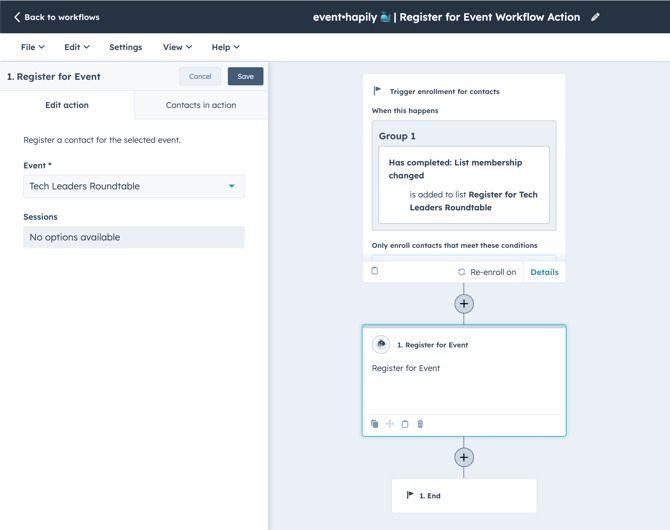
Setup:
- Create a Contact based workflow.
- Setup the Enrollment Trigger.
- Here, you can select your registration criteria. It's crucial to ensure the correct triggers are set, as any contact entering the workflow and proceeding through the Register for Event action will be registered for the event.
- Add the Register for Event Workflow Action.
-
Within the action configuration, choose the event for which you wish the enrolled contact to register. If the event has one or more sessions, you can also register the contact for these sessions by selecting them in the "Sessions" field. The contact will automatically be registered for any required sessions associated to the event.
-
Learn more about event registration and alternative methods HERE.