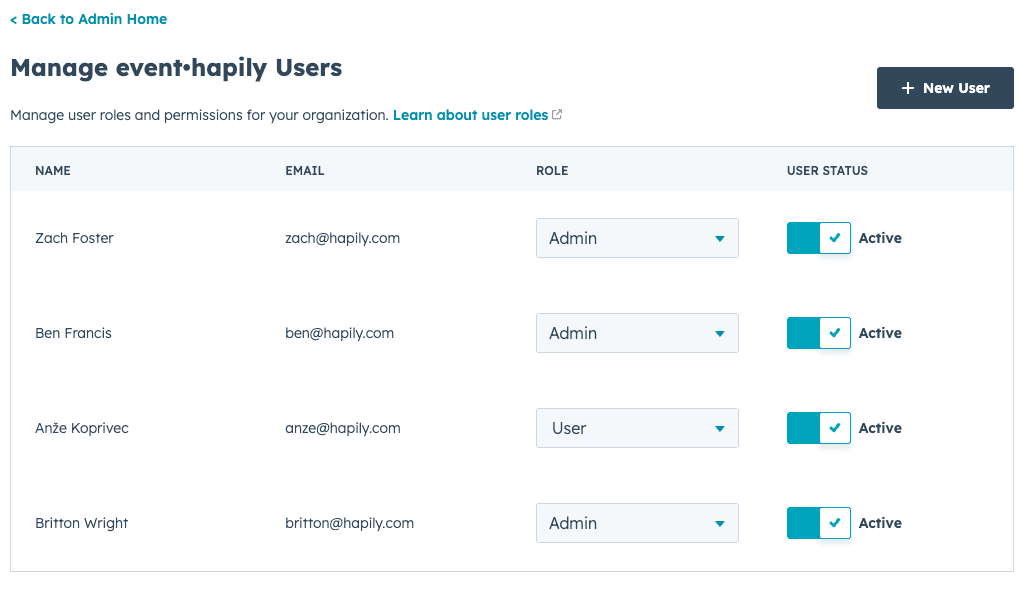
hapily Admin [app.event.hapily.com] serves as the place to manage which team members can build and manage events, update settings, and more. Users from HubSpot will be automatically added to the list in hapily Admin where you can then set the status to 'Active' and assign roles of 'Admin', 'Event Manager' or 'User'.
⚙️ You can read about user roles and access here: User Roles Overview
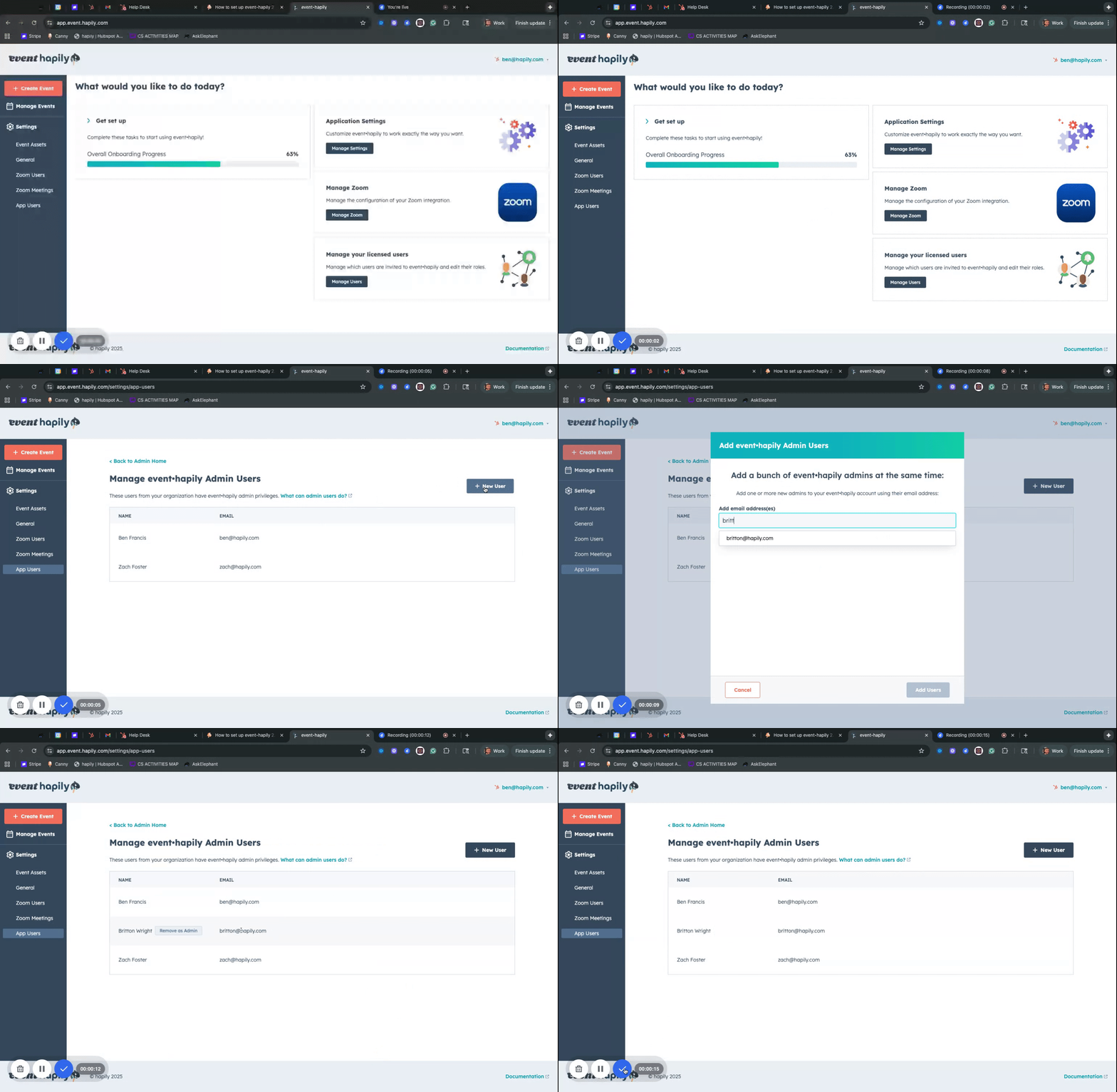
Add your team:
- log into app.event.hapily.com
- Click on the 'Manage Users' button or 'App Users' tab on the left panel
- Click 'New User'
- Search for your team members by name or email
- Quick Note: Any user you add to event·hapily Admin should be a user in HubSpot