This guide will walk you through how to set up a cancellation workflow that allows registrants to cancel their event registration through a dedicated form link.
By following these steps, you’ll:
-
Create a Cancel Form URL property on the hapily Registrant record
-
Update your New Registrant Created workflow to automatically generate that URL for every new registrant
-
Create a Cancel Registration Form with a property to capture their cancellation
-
Configure a workflow to update their registration status to Canceled
event·hapily 🐳 | Cancel Event RSVP walkthrough - Watch Video
Configuration Steps:
- Create a Cancel Form Record ID property
- Object Type: hapily Registrant
- Property Type: Single-Line Text
- 🚨 BE CERTAIN TO SELECT 'REQUIRE UNIQUE VALUES' - this is critical to ensure HubSpot knows what Registrant record to write the form submission to
- Create a Cancel Form URL property
- Object Type: hapily Registrant
- Property Type: Single-Line Text
- Create a Cancel Registration property
- Object Type: hapily Registrant
- Property Type: Single Check-box
- Create A Cancellation Form
- Required Properties:
- Record ID (hapily Registrant)
- Cancel Registration (hapily Registrant)
- Optional: If desired you can add additional hapily Registrant properties such as Cancellation Reason
- Required Properties:
- Add the following actions to your event•hapily 🐳 | New Registrant Created workflow
- Set Cancel Form ID to Record ID.
- Record Type: hapily Registrant (Enrolled Record)
- Property: Cancel Form ID
- Value:
- Set Cancel Form ID to Record ID.
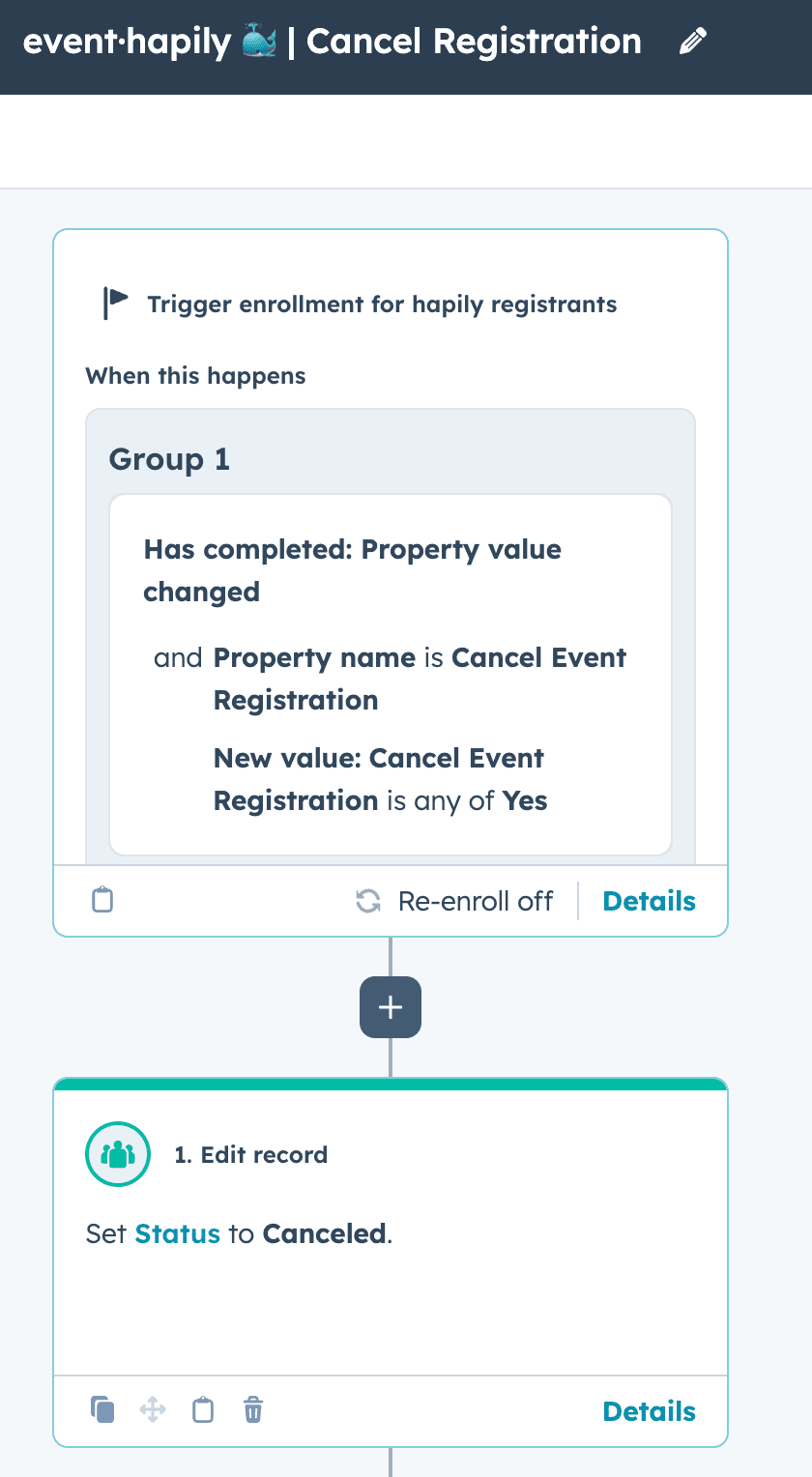
- Create your 'event·hapily🐳 | Cancel Registration' workflow
- Enrollment criteria: When 'cancel event registration' is known
- Action: Edit Record - 'Status' to 'Canceled'
- Optional: You can also trigger all kinds of other communications like an email confirmation of cancellation in this workflow as well. Just be sure to use registrant-based tokens if you need to reference the event this person signed up for!
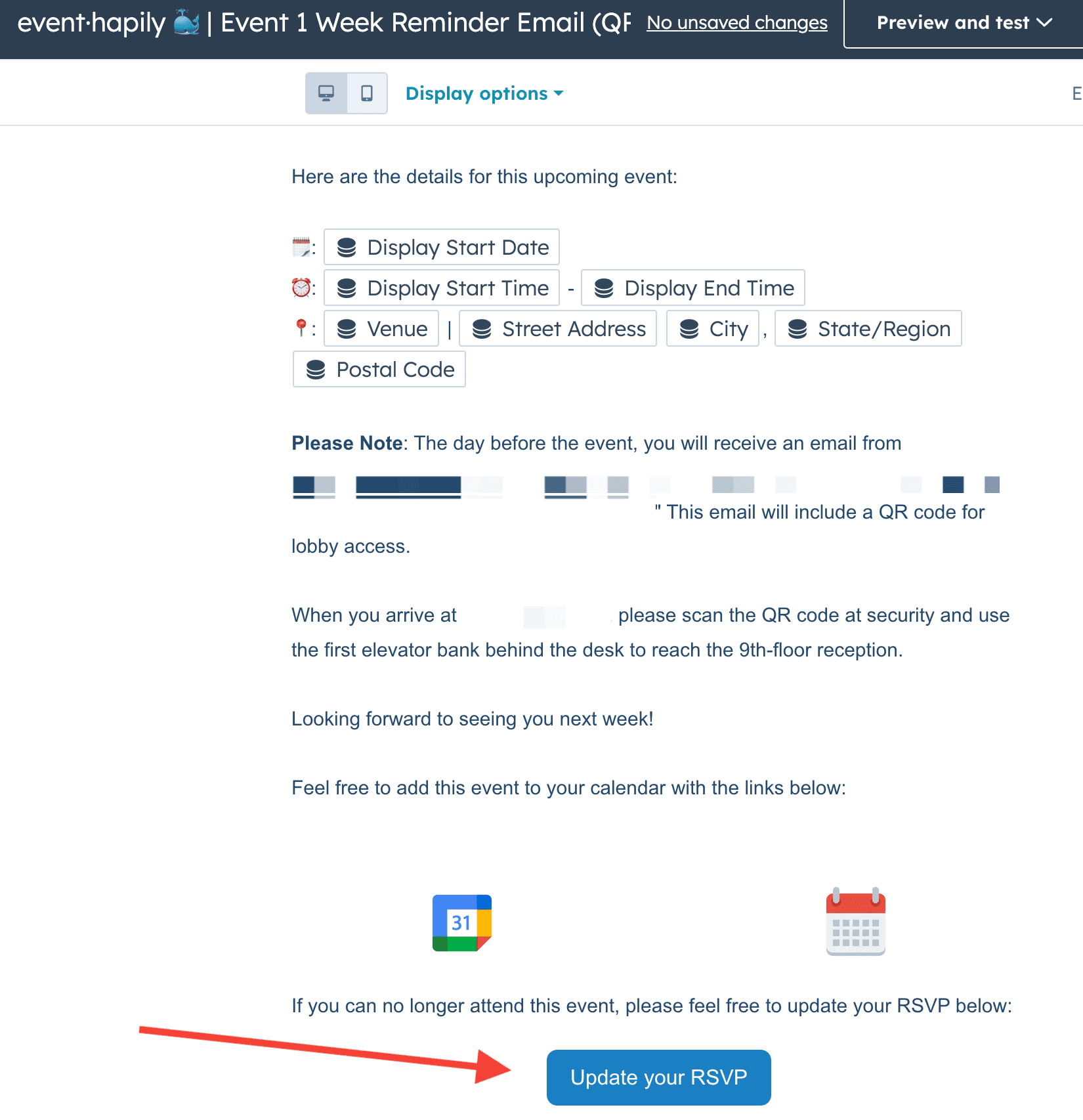
- Include the 'Cancel Form URL' in your confirmation and/or reminder emails.
- On your registrant-based emails for confirmation and reminders, you can embed the 'Cancel Form URL'. You can add this as a button or as a link in your emails.
- On your registrant-based emails for confirmation and reminders, you can embed the 'Cancel Form URL'. You can add this as a button or as a link in your emails.