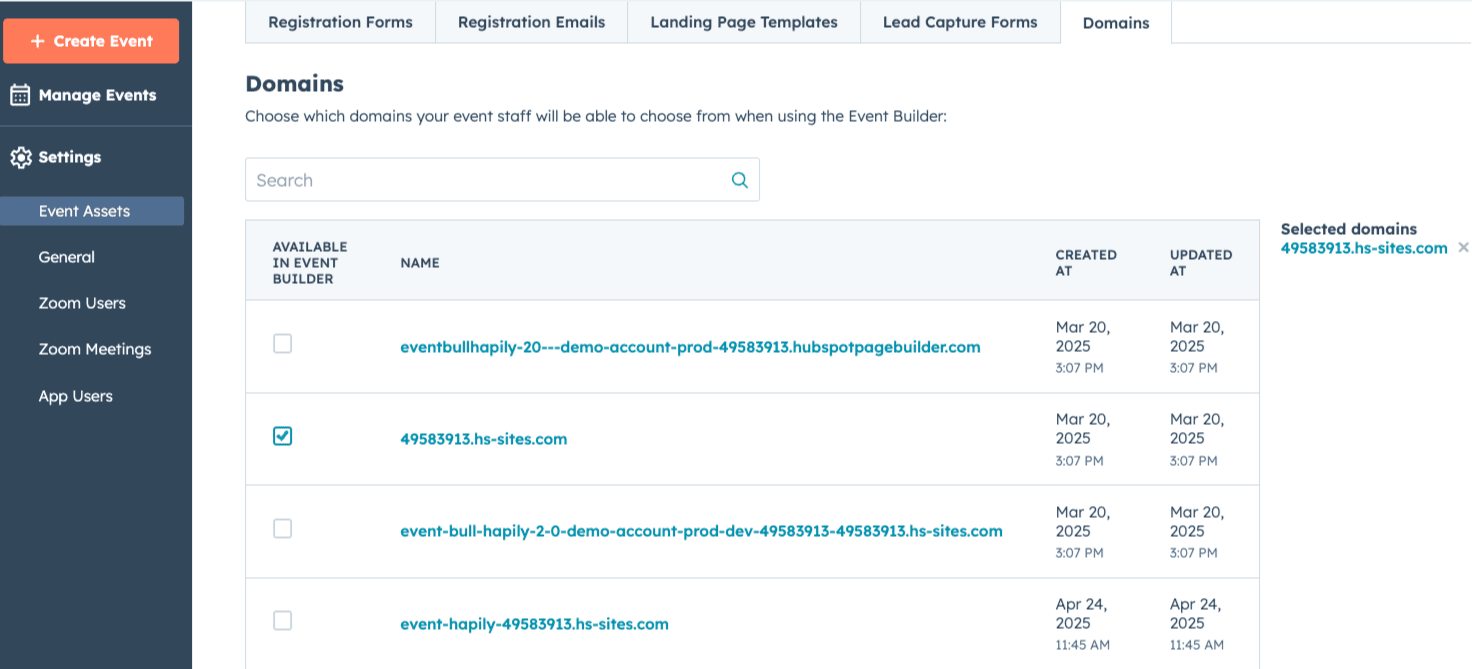
Managing events means you need assets. Lots of assets. The event·hapily Event Builder makes the creation of those assets easier than ever. Control which templates your team uses in the Event Builder in the 'Event Assets' tab.
Running a specific type of event where you need a specific set of questions on a form?
Great. Making that form available via 'Event Assets' so your team can copy the form that has the right properties.
When you make an asset available in the Event Builder, hapily will make a clone of that asset and name it the name of your event and link to it under the 'Event Digital Assets' card on your record in HubSpot.
Manage Event Assets
- Log into app.event.hapily.com
- Navigate to 'Event Assets'
- Select which category of assets you'd like to make available [Registration Forms, Registration Emails, Landing Page Templates, Lead Capture Forms, Domains]
- Your assets from your HubSpot portal will appear in the list below
- To make an asset available for your team to use in Event Builder, check the box for 'Available in Event Builder'
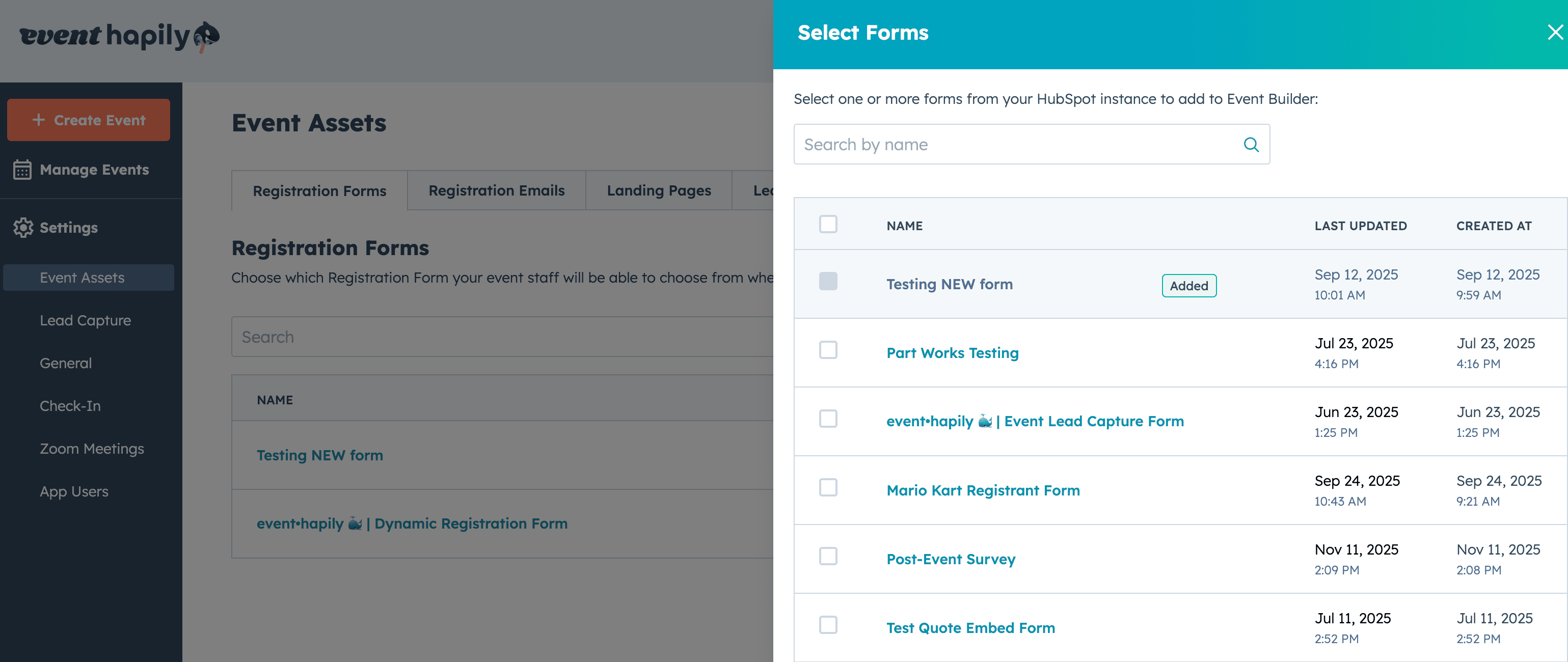
Once enabled, you will see the asset available for each category in the Event Builder.
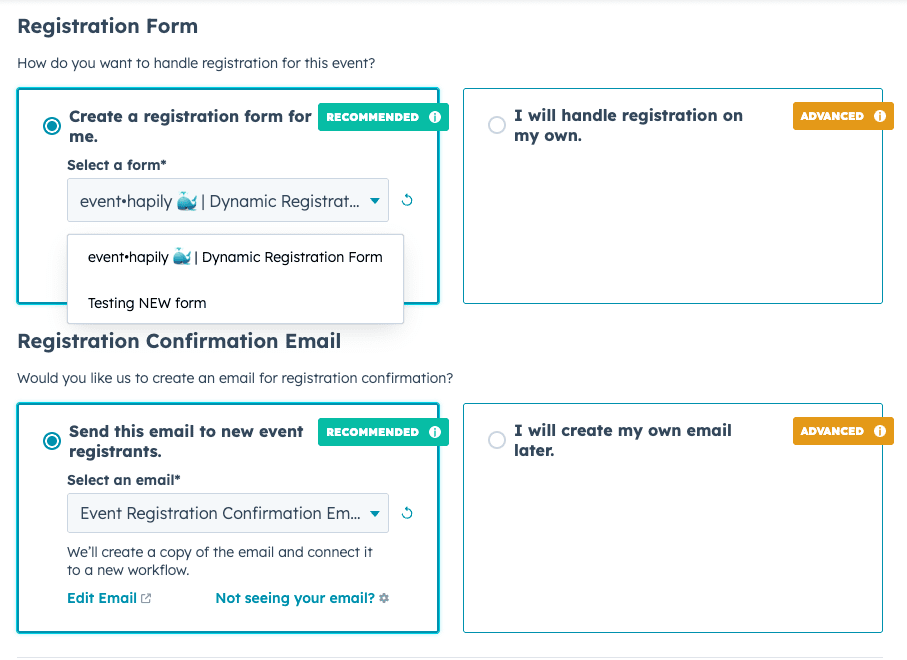
Registration Forms
hapily will show you all HubSpot forms that contain the hapily_registration_trigger property that can be used when creating a new event via the Event Builder. Only HubSpot forms that contain this property will be shown on the Registration Forms section.
When you create an event with Event Builder and you select to make a new registration form, we'll clone whichever form you select from the dropdown menu and we will input the code in the hapily_registration_trigger to ensure that form will create registrants for that specific event.
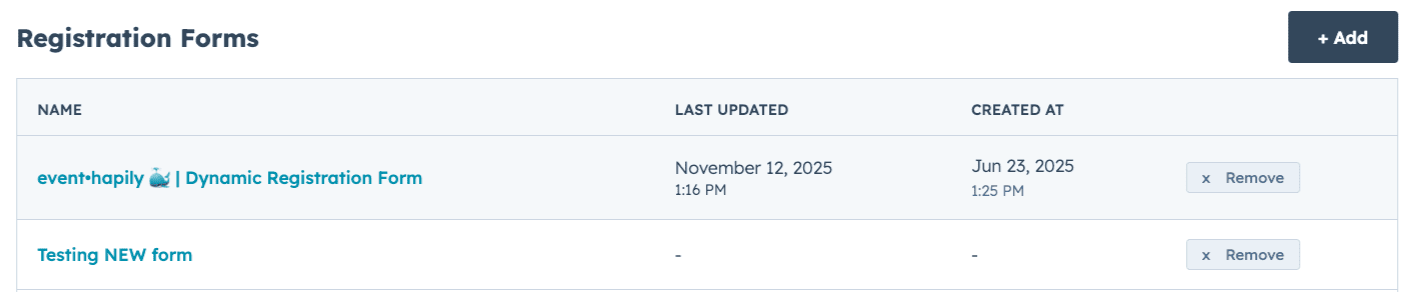
Emails
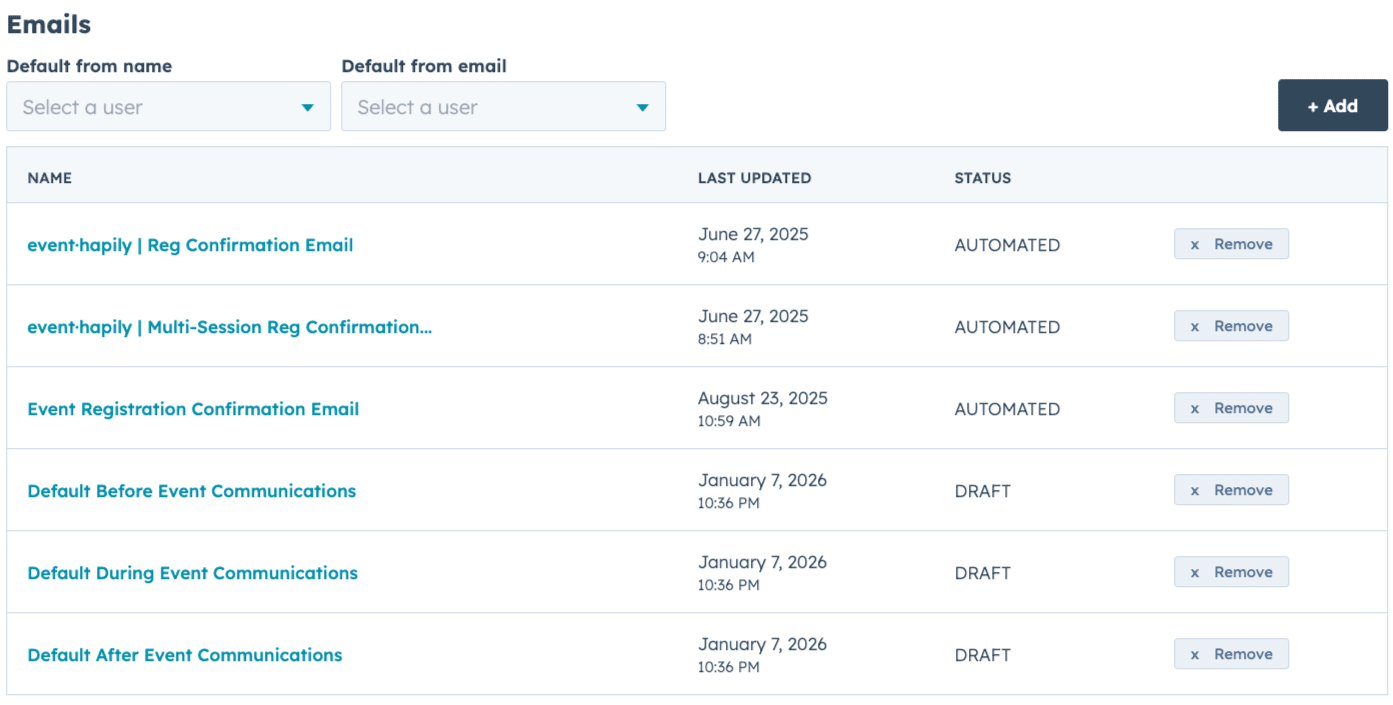
When you select 'Send this email to new event registrants' in Event Builder, hapily will make a copy of the selected email, add the name of the event you created, and put it into a draft workflow for you to edit and publish for this event.
Under Event Assets, you can select the default behavior for this email including Default From Name and Default From Email
Landing Pages
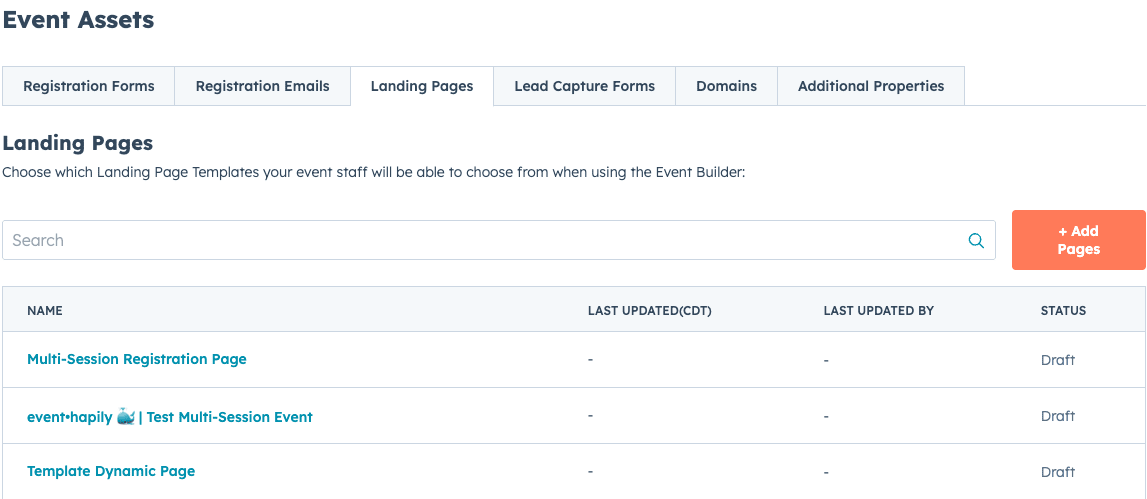
You can clone your existing HubSpot Landing Pages in the Event Builder by first making whichever landing pages you'd like to clone visible from the 'Event Assets' tab.
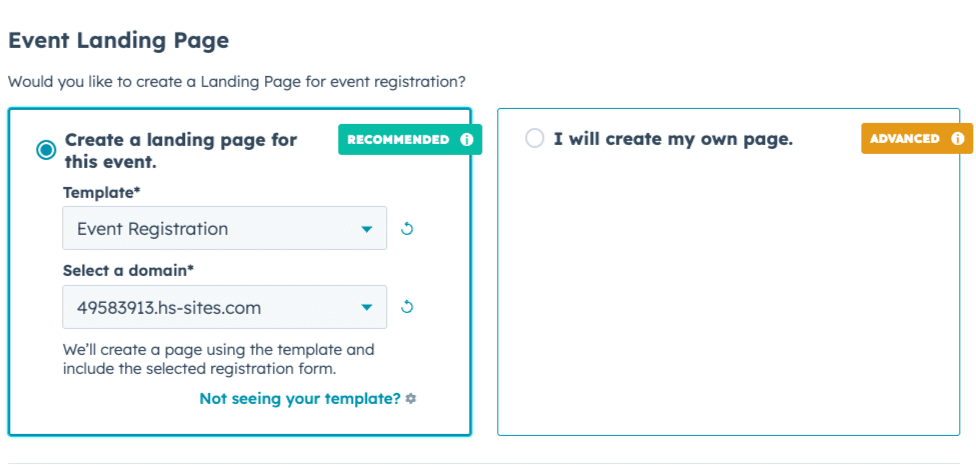
When selecting a landing page in Event Builder, we'll clone that landing page and rename it using the event name you're currently creating. This cloned page will retain the formatting, modules, and design that the original page had, allowing you to edit and publish in seconds!
You can pick which Landing Page template to clone and even which domain you'd like to publish the new page to from within the Event Builder.
event·hapily 🐳 | Cloning Landing Pages with Event Builder - Watch Video
Domains
You can select which of your domains connected to HubSpot can be used to create Landing Pages. To manage which domains are available in Event Builer, check the box next to each domain. event·hapily will pull all domains currently attached to your HubSpot account.