
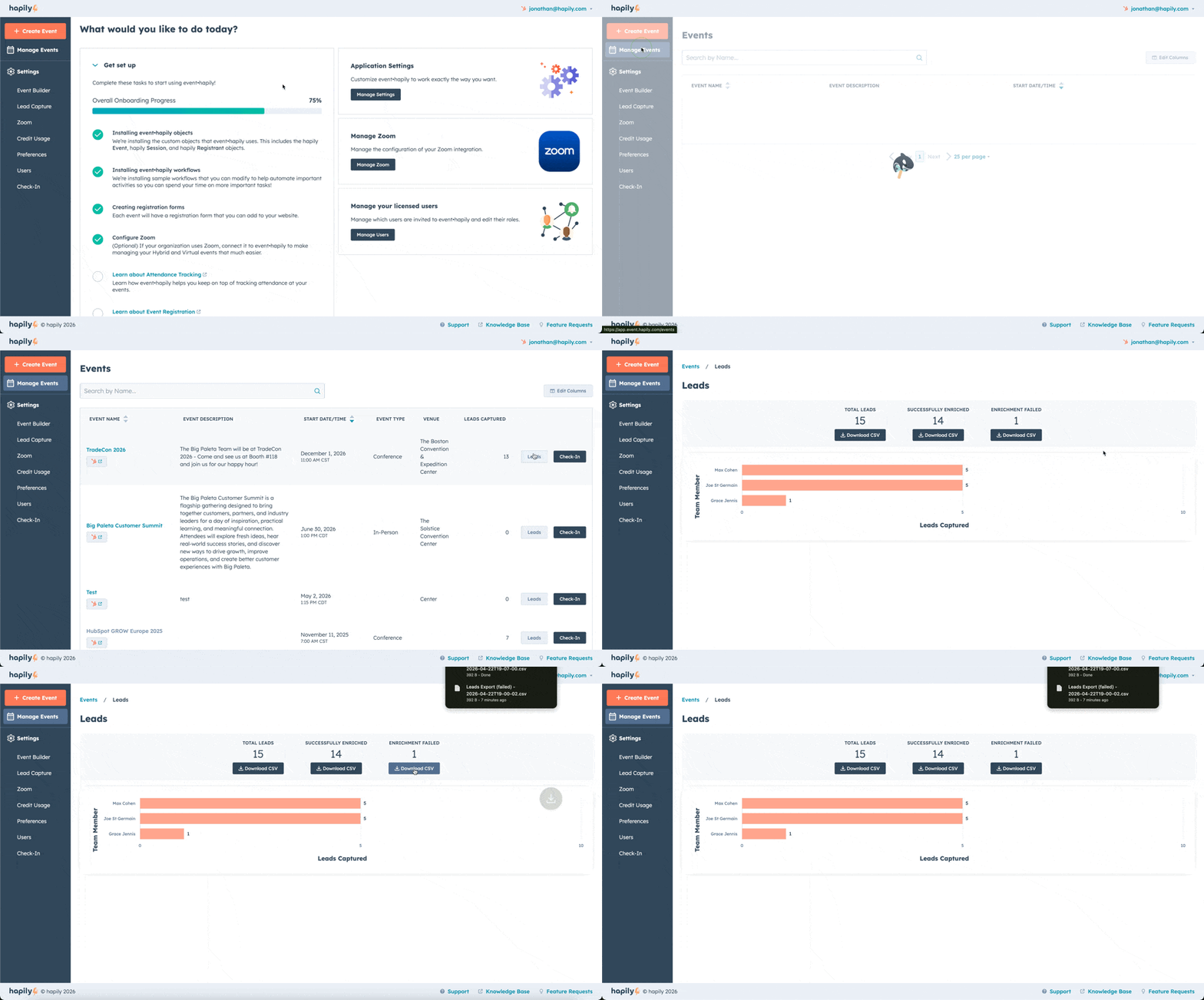
1. Go to Your Event
- Log into app.event.happily.com
- Click Manage Events and locate your event
2. Open The Leads Dashboard
- Click Leads on the right-hand side
- View lead categories, including Enrichment Failed
3. Download Failed Leads
- Under Enrichment Failed click Download CSV
- The file will download automatically
The CSV will include available data such as First Name, Last Name, Email, Captured By, Notes, Badge Scan Image, and more. Any information that hapily was able to enrich will be included, allowing you to review and add data as needed before importing to HubSpot.